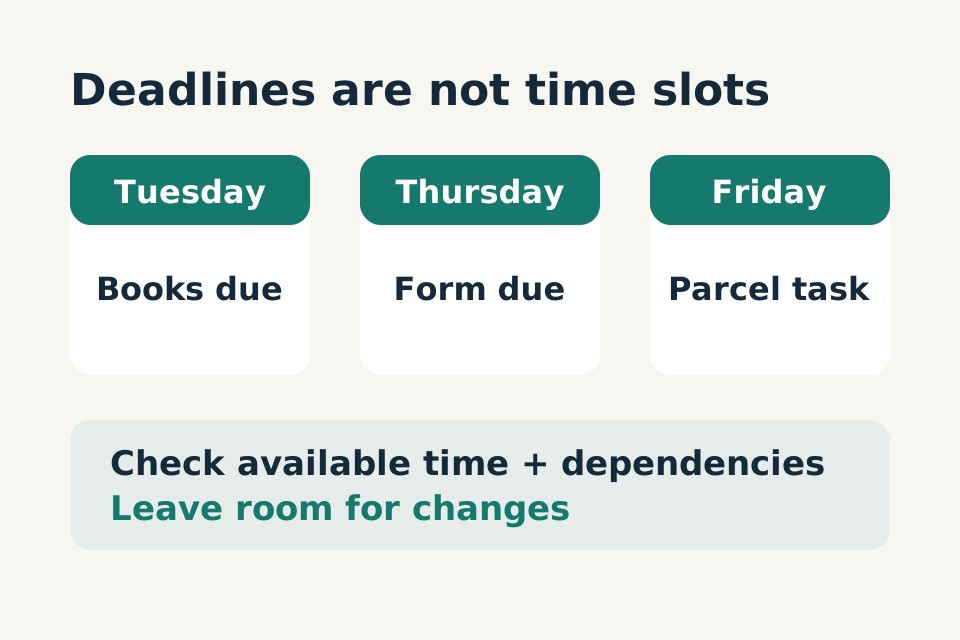
A long to-do list can make every task feel equally urgent. AI can help sort it, but only if it preserves the deadlines and limits you actually have. A tidy schedule full of invented free time is not a useful plan.
You do not need to connect a calendar to try this. Start with a fictional list or a brief, non-sensitive version of your own.
In this article
In this article 7 sections
Separate commitments from possibilities
Write each task with any confirmed deadline, estimated effort and dependency. Mark estimates as estimates. “Return books by Tuesday” is different from “would like to clear a cupboard.” “Pick up a parcel” may depend on a collection notice and the shop's actual opening hours.
Add available time blocks, including travel and ordinary breaks where relevant. Do not fill every minute. Leave room for a task taking longer than expected or something changing.
If you do not know a deadline, put “unknown” rather than guessing. The first action may be finding the date, not completing the whole task.
Try a small planning request
This is an original fictional exercise:
Practice prompt
Organise these tasks for the week: return books Tuesday; complete a form Thursday; collect a parcel Friday; tidy one cupboard with no deadline; compare lamps with no deadline. I have 30 minutes Monday and 90 minutes Wednesday. Separate fixed deadlines, flexible tasks and tasks that can wait. Show dependencies and anything that will not fit. Do not create events, contact anyone or assume opening hours.
Ask for a draft order rather than an exact minute-by-minute timetable. First check whether the Tuesday task was placed before its deadline. Then check whether the form needs documents that have not been gathered.
Make conflicts visible
If everything cannot fit, ask the tool to identify the conflict instead of silently moving a deadline. A useful answer might say the form cannot be completed Wednesday unless the missing document arrives first.
You decide whether to move a flexible task, seek help or check whether a deadline can change. The AI should not make that commitment for you. For high-stakes forms or appointments, confirm requirements with the responsible organisation.
Revise the plan when time changes
Suppose Wednesday becomes unavailable. Use a focused follow-up:
Practice prompt
Remove Wednesday's time block. Keep confirmed deadlines unchanged. Show the minimum tasks still needed this week, what can wait and which deadline is now at risk. Do not assume I am free on another day.
Check that completed tasks stay completed and that the tool does not reintroduce them. Keep one authoritative list so you are not maintaining conflicting versions in several chats.

The diagram in words
- Before: 30 minutes on Monday plus 90 minutes on Wednesday gives 120 minutes.
- After removing Wednesday, only Monday’s 30 minutes remain.
- Keep confirmed deadlines unchanged and decide what needs another plan.
Use the output without losing control
Copy only the plan you have reviewed into your own task system. A suggested calendar entry is not a booking, invitation or confirmed appointment. Verify recipients and dates before creating shared events.
For recurring planning, save a blank template with fields for deadlines, capacity, dependencies and unknowns. Refresh those fields each week. Avoid carrying private family or customer details forward unnecessarily.
Finish with fewer priorities
End the session with one to three next actions and a visible “not this week” list. If the conversation leaves you with more work than you started with, shorten the request.
The goal is a plan you can actually follow. A missed optional task is not the same as a missed deadline, and a useful assistant should help you see that difference.
If this planning task keeps helping, turn it into a reusable AI prompt template.